
Who is Crypto Tax Calculator?
As one of the leading crypto tax solutions in Australia and the UK, Crypto Tax Calculator is trusted by over 20,000 users. Purpose-built, it generates accountant-friendly tax reports with precision and ease.
Why use CTC for your Wealth99 tax reporting?
- Homegrown Expertise: Built by Aussies for Aussies, CTC has deep insight into the Australian Tax Office (ATO) laws, as well as the local tax rules in the countries they operate in
- Simple and transparent: User-friendly interface for stress-free reporting
- Designed for optimal tax outcomes: From basic to complex transactions, CTC optimises tax results for every scenario
Generating an API Key and Secret on Wealth99:
1. Go to Settings and open the API Keys tab.
2. Click Create a new key.
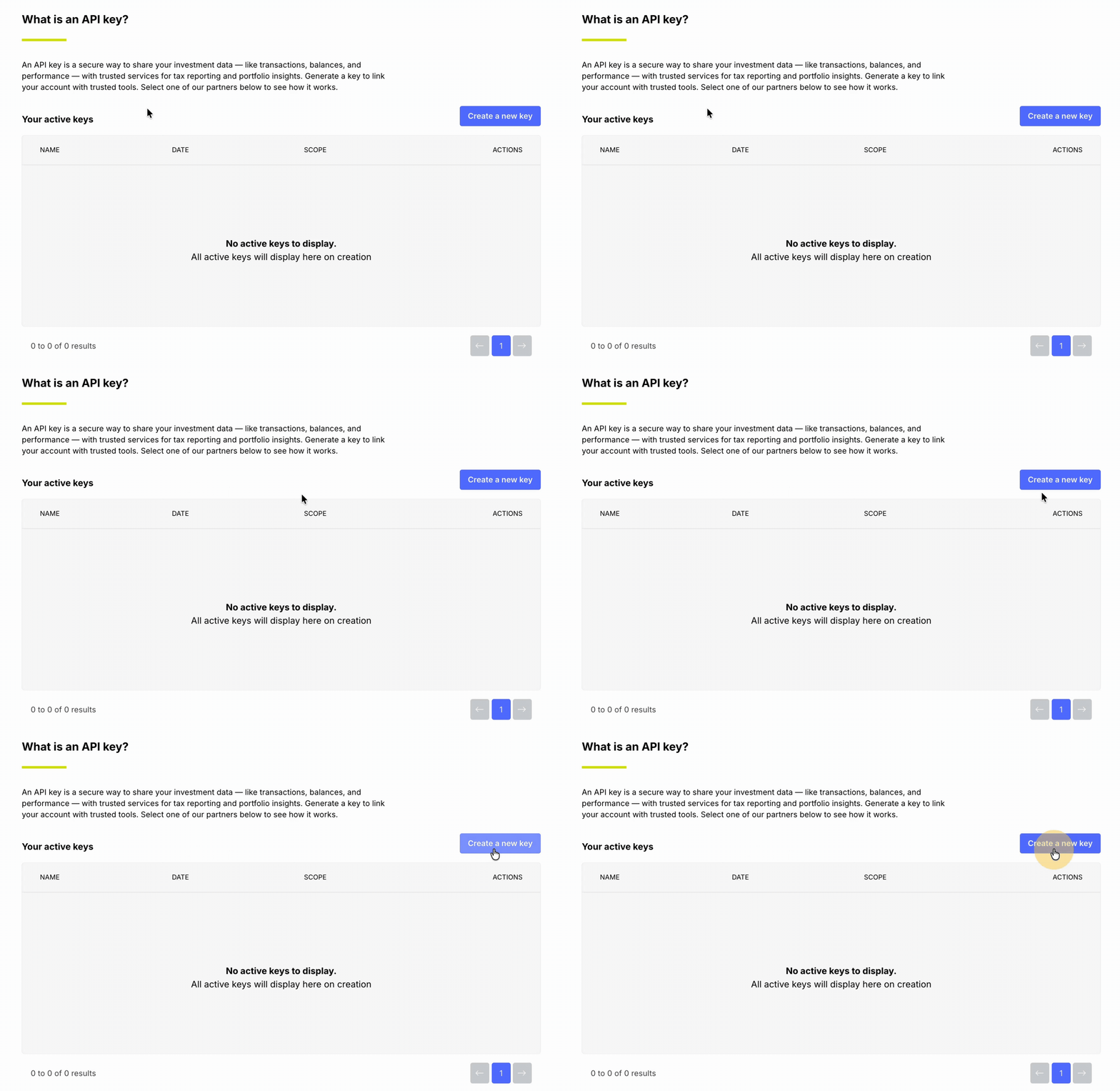
3. Enter Crypto Tax Calculator as the API key name, then click Continue.
4. When prompted, enter the six-digit code from your Google Authenticator app to confirm.
5. Copy the generated API Key and Secret and store them in a secure location.
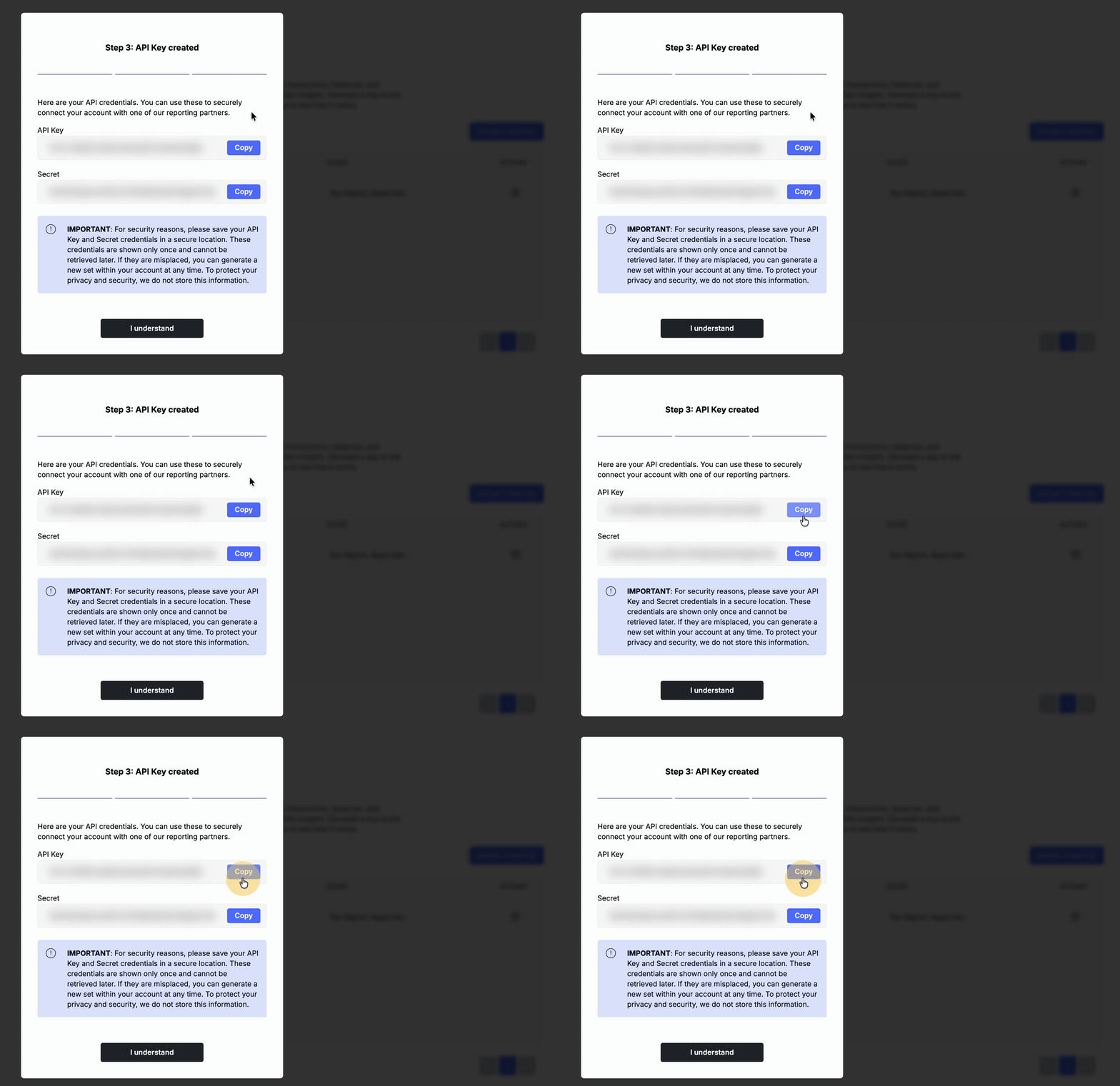
6. Once your keys are created, go to CryptoTaxCalculator to complete the connection.
Connecting your Wealth99 into CTC:
1. If you haven’t already, you can sign up for a CTC account here (this takes only a few moments).
2. Once logged in, navigate to the "Integrations" page.
3. Type 'Wealth99' into the search bar, and click the option that appears.
4. Make sure the 'Sync via API' option is selected, then enter your API key and Secret key.
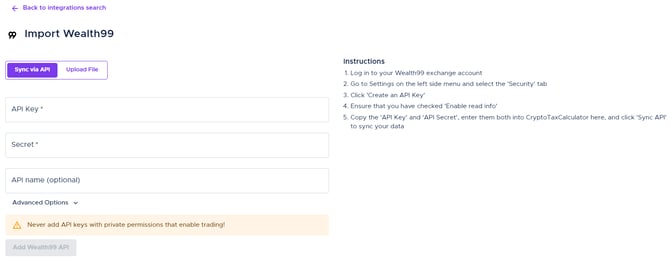
5. Once you’ve connected your API successfully, make sure all the required transaction data is included before generating your required tax report.
Wrapping up
You're all set! You've successfully connected your Wealth99 data to CryptoTaxCalculator using API keys. In case you miss any transactions, you can manually import them using the Simple or Advanced CSV import feature.
Prefer video? Watch the full step-by-step tutorial here:
If you have any questions, don’t hesitate to contact us here.
Disclaimer: Crypto Tax Calculator (CTC) is not a Wealth99 service. If you decide to use Crypto Tax Calculator, you are responsible for reviewing the third party’s service terms, website terms, and privacy policies. You agree that third parties, and not Wealth99, are responsible for the performance of Crypto Tax Calculator and the content on their website. Links to third-party websites will open new browser windows. Except where noted, Wealth99 accepts no responsibility for content on third-party websites.