
You can gift crypto to family and friends for birthdays and special occasions.
1. Log in to your account and navigate to the Settings menu. Then, navigate to the Gift a Friend section.
2. Click on the Select a Bundle dropdown and select the bundle you'd like to gift someone.
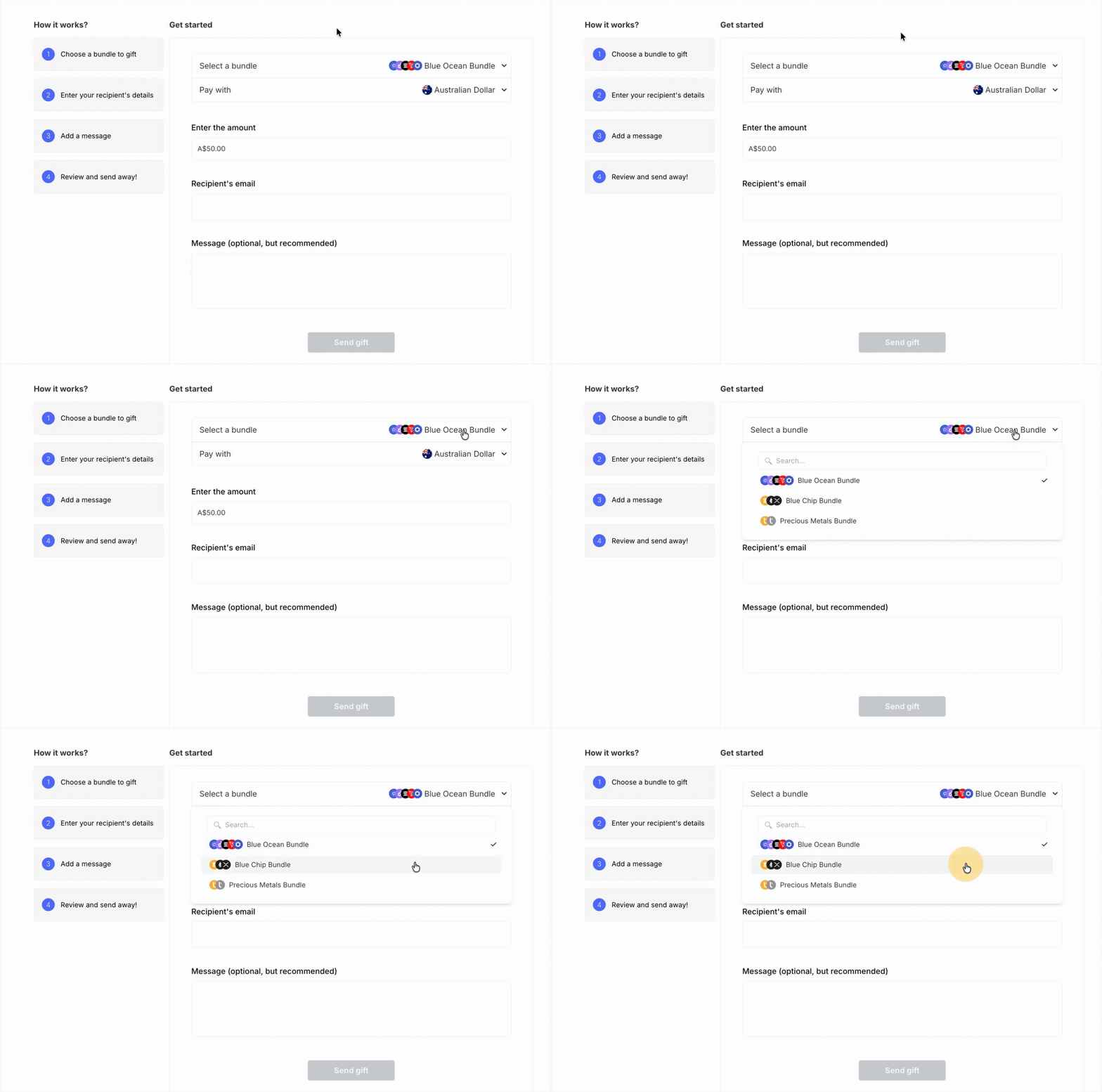
3. Then, click on the Pay with drop-down to select the currency you‘d like to use to pay for the gift.
4. Enter the amount you’d like to spend on the gift.
5. Insert the Wealth99 account email address of the receiver and a message you’d like the receiver to see in the notes section.
6. Click on Send gift.
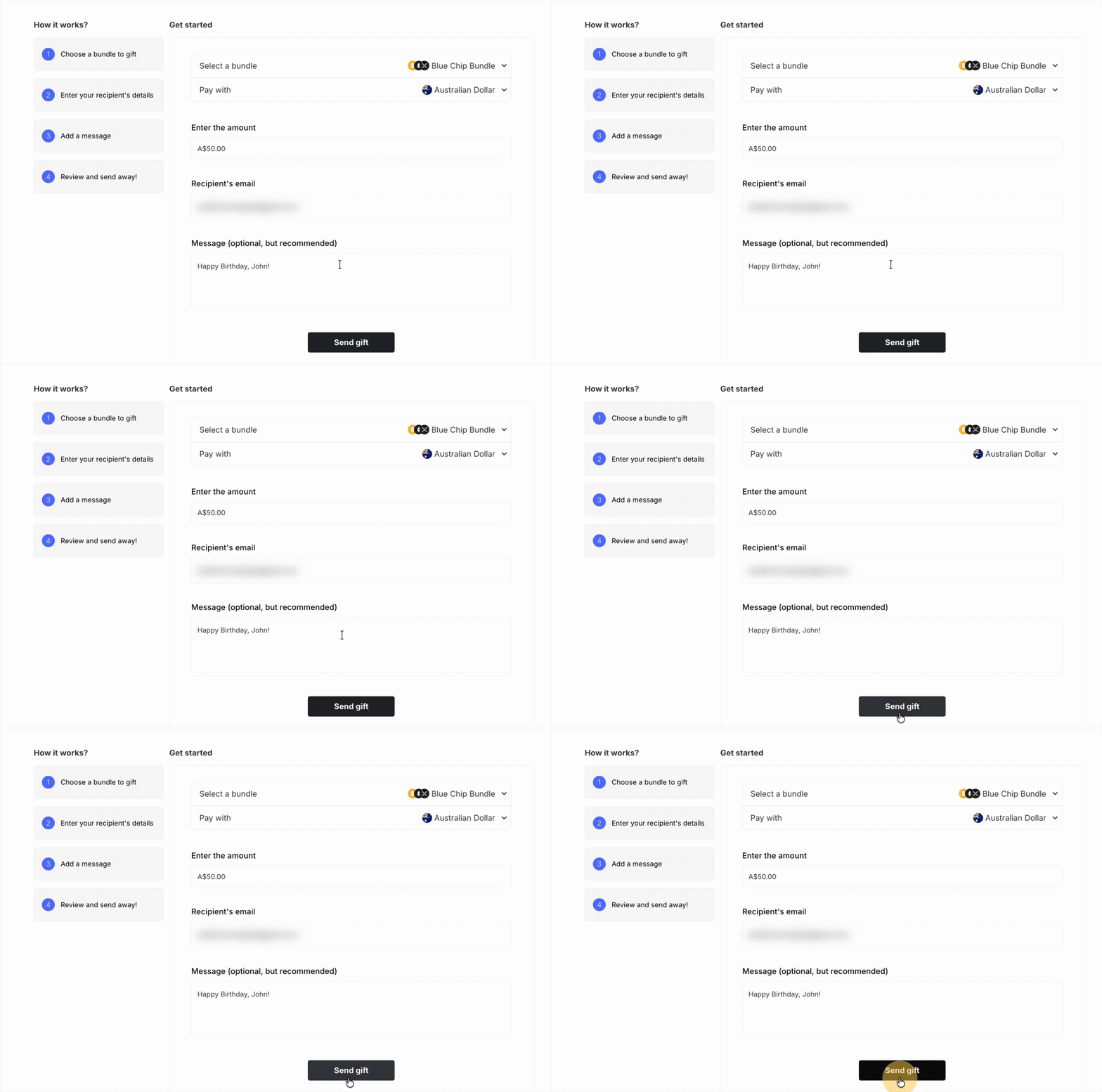
7. Double-check all the details and then hit Send gift.
8. Your gift has been successfully sent! You can see the status of your gift order by going to the History tab and selecting the Gifts section.
9. If the receiver has yet to claim your gift, the Awaiting Claim status will be displayed under your transaction history.
10. When the receiver claims your gift, the Awaiting Claim status will be automatically updated to a Claimed status.