
You can deposit cryptocurrency into your Wealth99 account with a few simple steps:
1. Navigate to the Wallet section from the left-hand menu.
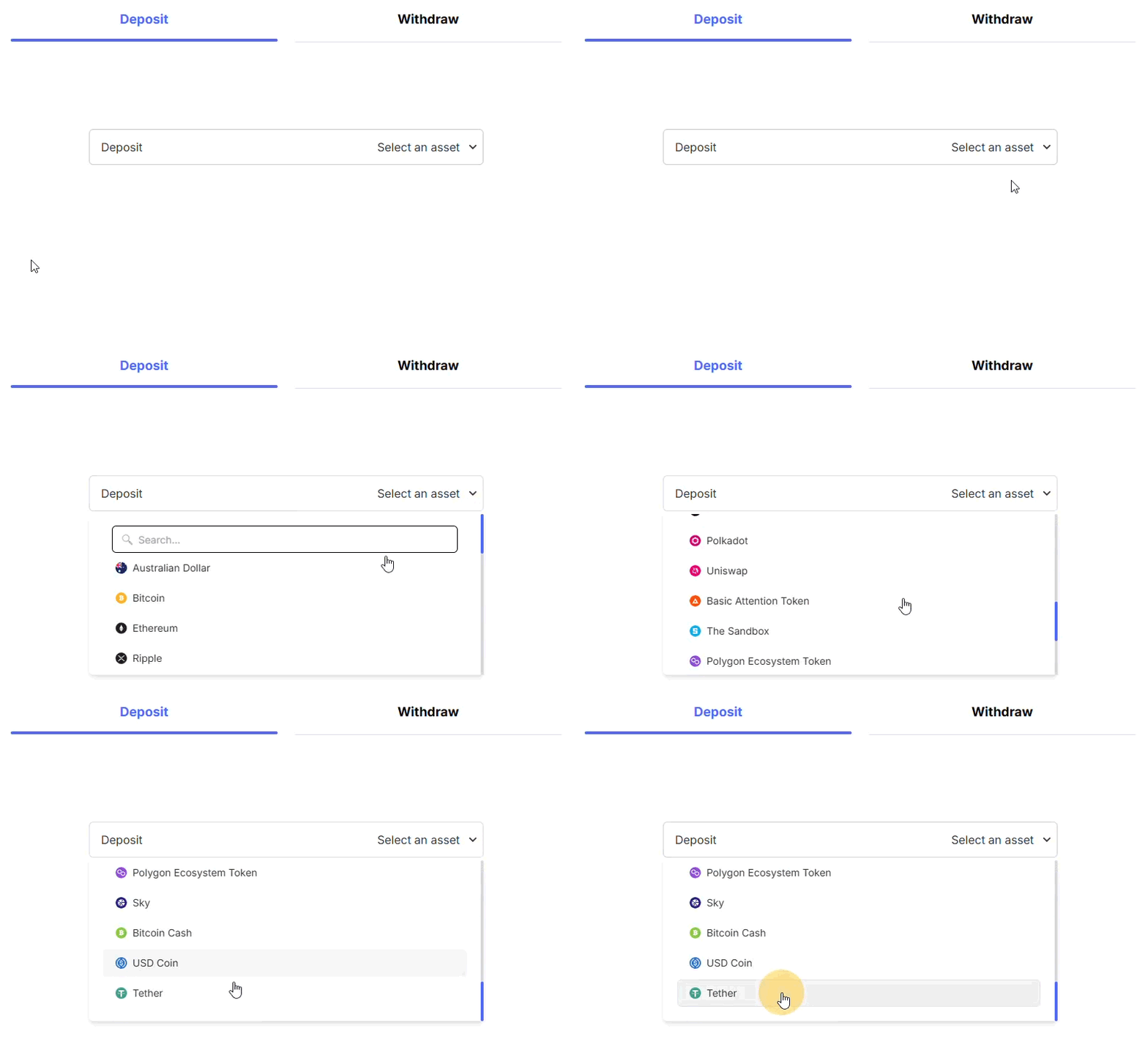
2. Under the Deposit tab, click the drop-down menu and select the cryptocurrency you wish to deposit into your Wealth99 account.
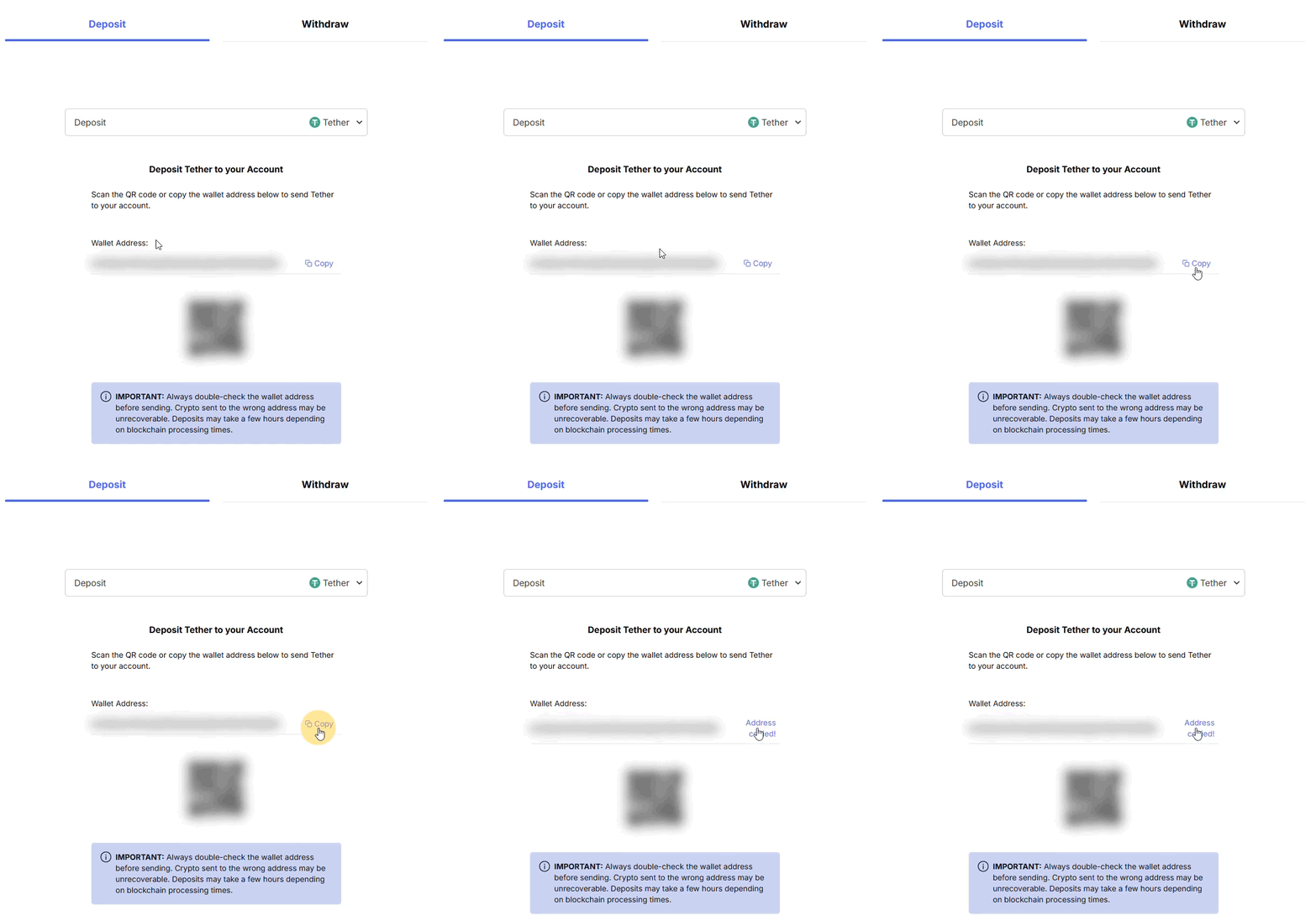
3. Your wallet address will appear — this is the address you’ll use to transfer your chosen cryptocurrency.
4. Double-check that the wallet address matches the correct cryptocurrency and network. Using the wrong address or network may result in the permanent loss of your funds. To avoid errors, use the Copy button.
For quick access, clicking Deposit Funds in the top header will also take you to the Wallet page.
Important
- Once you have sent your crypto to your wallet address, wait a little while (2-30 minutes) for the confirmation to take place, and your balance should be confirmed. Some networks are very fast, and your current balance will be instantly visible.
- If you have any questions about your deposits or the process, please submit a request detailing the issue (include any relevant screenshots for clarity).